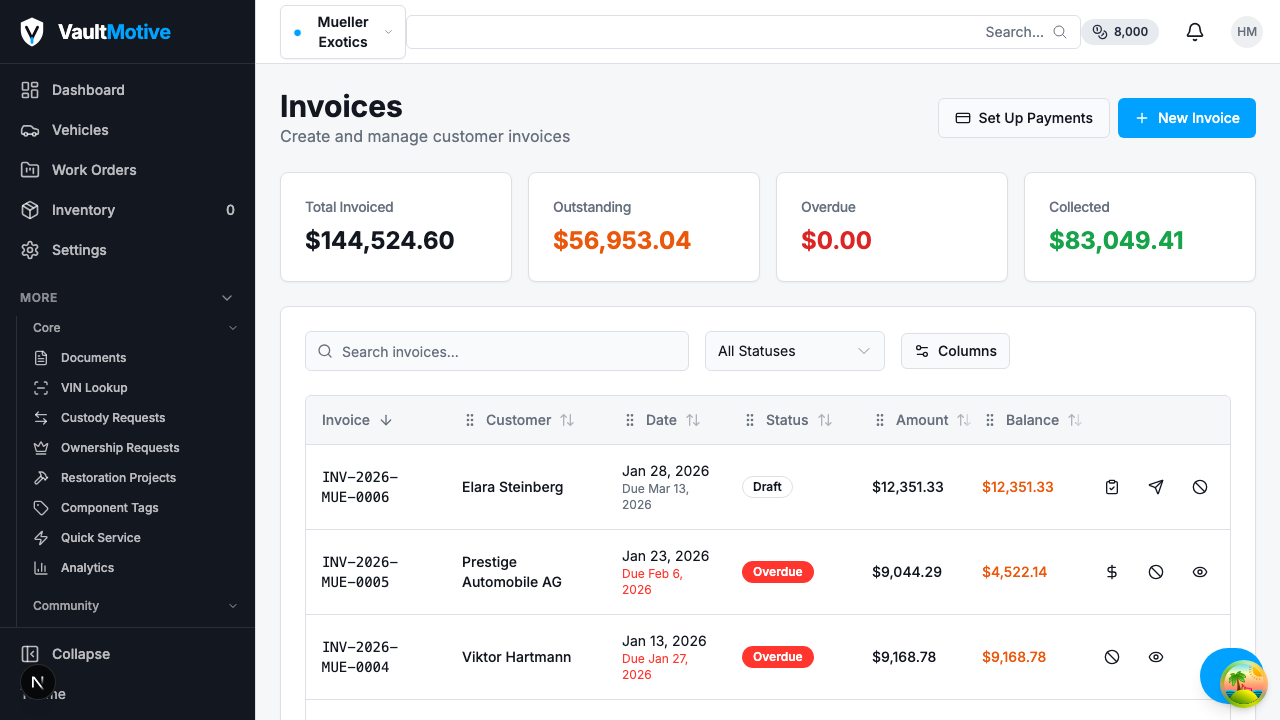
See Your Finances At Work
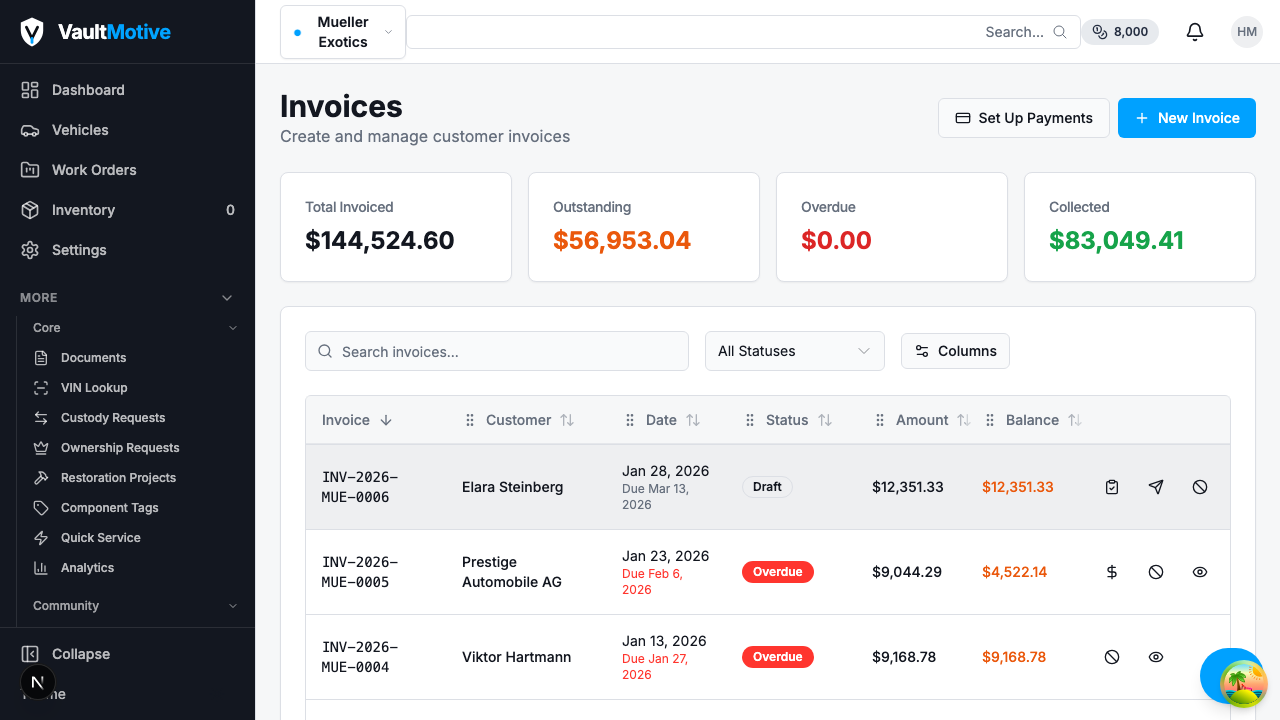
Professional Invoicing
Create detailed invoices with line items, labor charges, and parts markup. Send directly to customers with online payment links.
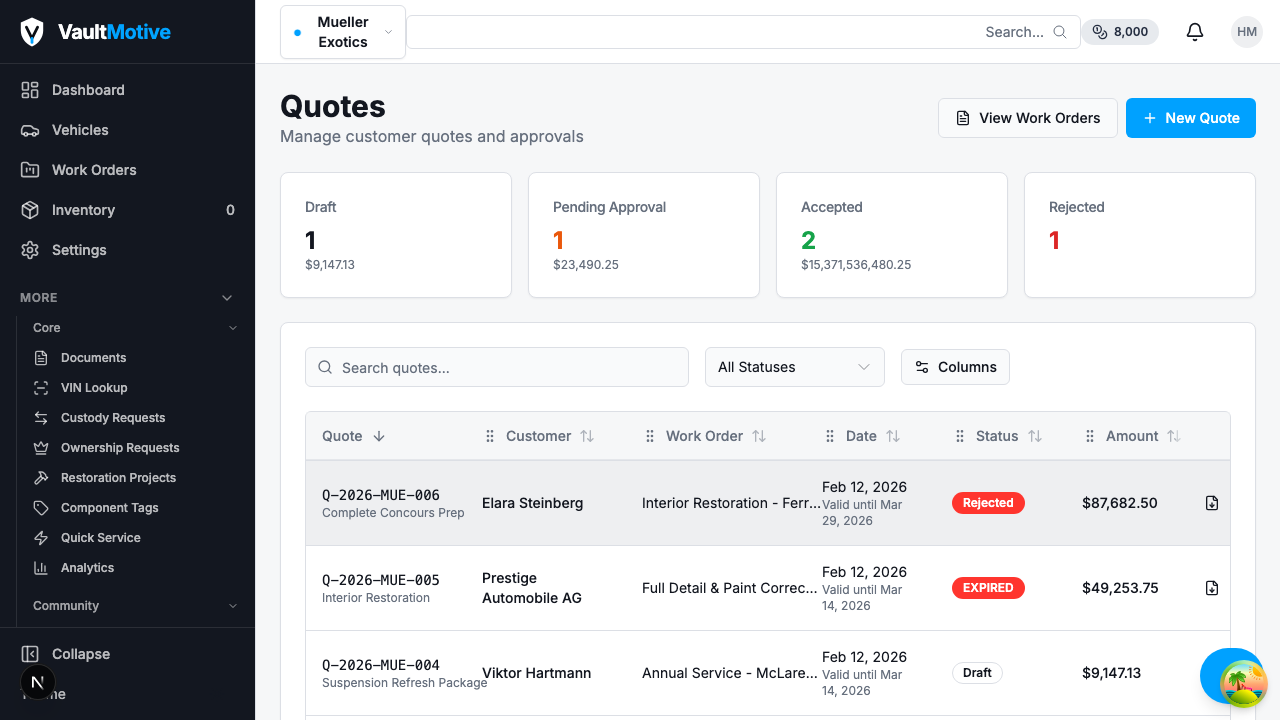
Quotes & Estimates
Build professional quotes with itemized pricing. Convert approved quotes directly into work orders and invoices with one click.
Recurring Invoices
Automate your billing cycles
Recurring Invoices
Stop manually creating the same invoices every month. Set up recurring invoices for storage fees, maintenance contracts, and subscription services with configurable billing intervals.
- Monthly, quarterly, or custom schedules
- Automatic invoice generation and delivery
- Pause, resume, or cancel at any time
Billing Milestones
Bill as phases complete
Billing Milestones
Large restorations take months. Define payment stages tied to project phases so you collect payment as work progresses instead of waiting until the end.
- Tie billing to restoration phases
- Customer portal approval at each milestone
- Automatic invoice on milestone completion
Expense Tracking
Know where every dollar goes
Expense Tracking
Track and categorize every business expense. Link costs directly to vehicles, projects, or general overhead to understand true profitability at every level.
- Categorize by vehicle, project, or overhead
- Receipt and document attachment
- Export for tax preparation
Vehicle Financial Reporting
See a complete financial picture for every vehicle. Cost breakdowns by category, spending trends over time, and parts purchase history all in one dashboard.
- Per-vehicle cost breakdown and trend charts
- Parts spend vs. labor spend analysis
- Export reports as PDF or CSV
Accept Payments with Stripe Connect
Let customers pay invoices online with credit cards, ACH transfers, and more. Stripe Connect handles payment processing, automatic reconciliation, and payout tracking so you can focus on restorations.
- One-click payment links
Customers pay directly from invoice emails
- Automatic reconciliation
Payments match to invoices without manual entry
- Payout tracking
See when funds hit your bank account
- PCI-compliant security
Enterprise-grade payment security out of the box
Stripe Connect
Enterprise-grade payment processing
Stop Losing Money to Manual Processes
Shops that switch to integrated billing see faster payments and fewer missed charges.
Complete Financial Toolset
Nine tools that cover the full financial lifecycle of a restoration project.
Customer Management
Manage customer profiles, contact info, and history. Link customers to vehicles and projects.
Customer Invoicing
Create professional invoices from work orders. Send directly to clients with one click.
Recurring Invoices
Set up automated recurring invoices for storage, maintenance contracts, and subscription services.
Quotes & Estimates
Create detailed quotes with line items. Convert approved quotes to invoices automatically.
Billing Milestones
Set up milestone-based billing for large projects. Bill as phases complete.
Expense Tracking
Track and categorize business expenses. Link expenses to vehicles, projects, or overhead.
Vehicle Financial Reporting
Detailed cost breakdowns, trend analysis, and parts history per vehicle.
Customer Portal
Clients view invoices, make payments, and approve milestones from their own portal.
Stripe Connect Payments
Accept online payments via Stripe Connect. Automatic reconciliation and payout tracking.
Quote to Payment Workflow
A streamlined process from first estimate to final payment.
Create Quote
Build a detailed estimate with parts, labor, and line items.
Do the Work
Track time, parts, and expenses as the project progresses.
Generate Invoice
Convert the work order to a professional invoice automatically.
Get Paid
Clients pay online or you record manual payments. Done.